Workforce attendance locked to
physical company hardware.
Eliminate proxy check-ins, mobile GPS spoofing, and unmonitored break overstays. TimeLogic binds attendance strictly to authorized on-premise kiosk terminals with facial biometric verification and 1-click Excel payroll exports.
Hardware-Bound Kiosk Authorization
Check-ins can only be registered on designated company computers or tablets physically paired to your workplace network. Remote GPS spoofing is architecturally impossible.
Granular Break & Policy Tracking
Enforce defined allowances for lunch, short breaks, and prayer sessions. The system automatically logs duration in minutes and alerts managers the moment an employee overstays.
1-Click Payroll-Ready Reporting
Replace multi-day manual spreadsheet compilation. Export fully audited, mathematically verified Microsoft Excel (.xlsx) and CSV sheets ready for instant payroll disbursement.
How TimeLogic establishes tamper-proof attendance in three steps.
Engineered from first principles to eliminate the structural vulnerabilities found in paper logbooks, optical fingerprint scanners, and mobile GPS check-in apps.
Designate Kiosk Station
Authenticate any standard office computer or tablet as an authorized company kiosk. The station cryptographically binds to your physical network and server clock.
Facial & PIN Verification
Employees step up to the kiosk, enter their unique employee PIN, and verify identity via sub-second facial match. Transactions execute in under 3 seconds.
Live Audit & Excel Export
Supervisors monitor live floor presence and break overstay alarms in real time. At the end of the month, export mathematically verified Excel spreadsheets ready for payroll.
Why Alternative Attendance Methods Fail In Practice
Paper books and mobile GPS apps create operational vulnerabilities that silently leak thousands of dollars in unverified payroll each month.
| Operational Capability | TimeLogic Biometric Kiosk | Mobile GPS Apps |
|---|---|---|
| Proxy Clock-In (Buddy-Punching) | Impossible: Irreversible facial biometric lock + PIN required | Frequent: coworkers share phone logins or swap credentials |
| Location Verification & Spoofing | Hardware-bound: punches only valid on authorized on-premise kiosk | Easily bypassed using common Android mock-location GPS apps |
| Break & Overstay Monitoring | Second-accurate tracking with automated overstay alarms | Manual self-reporting only: workers rarely clock out for breaks |
| Hardware Requirements & Cost | Zero proprietary lock-in: runs on any standard office PC, laptop, or tablet | Requires employee personal phones (battery drain & privacy friction) |
| Payroll Export & Reconciliation | 1-Click verified export directly to Microsoft Excel (.xlsx) & CSV | Basic CSV exports requiring extensive post-processing cleanup |
Authentic Interfaces Engineered For Operational Rigor
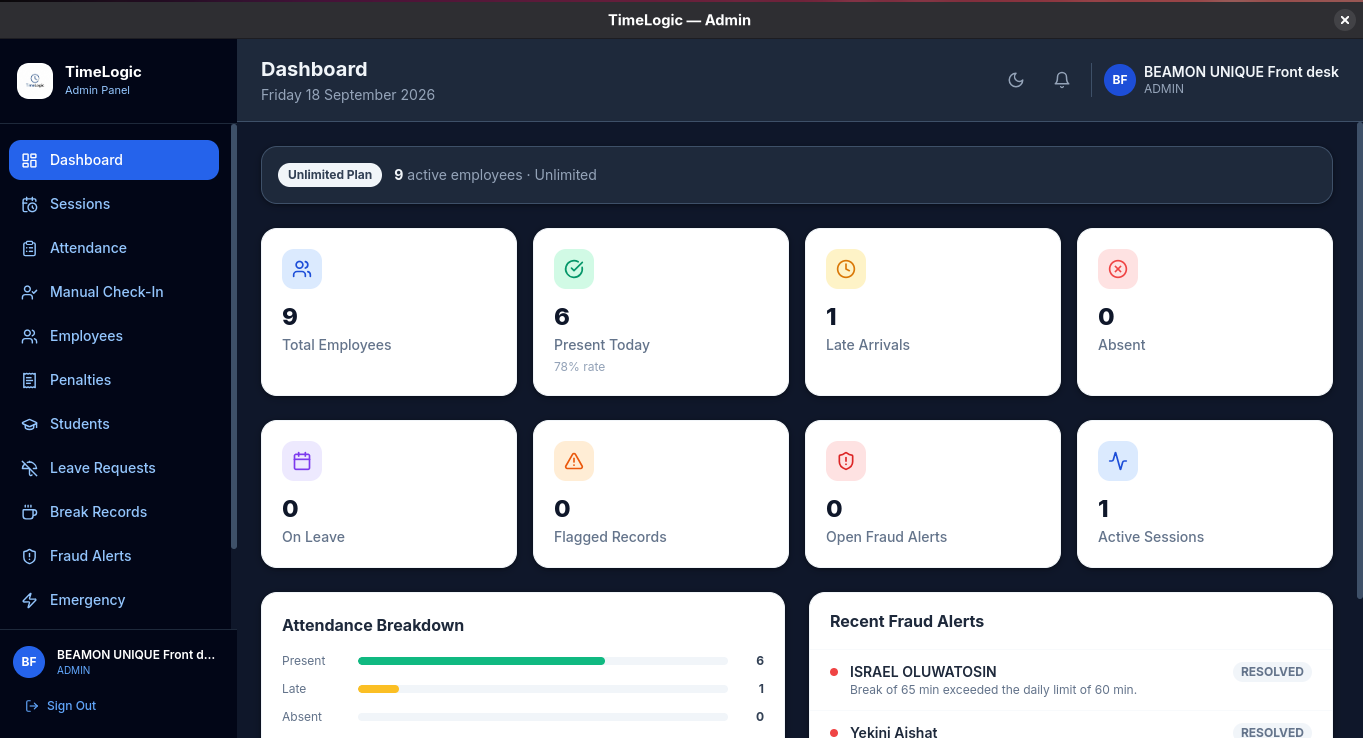
Take a look at the actual software screens utilized daily by administrative leads, supervisors, and floor workers.
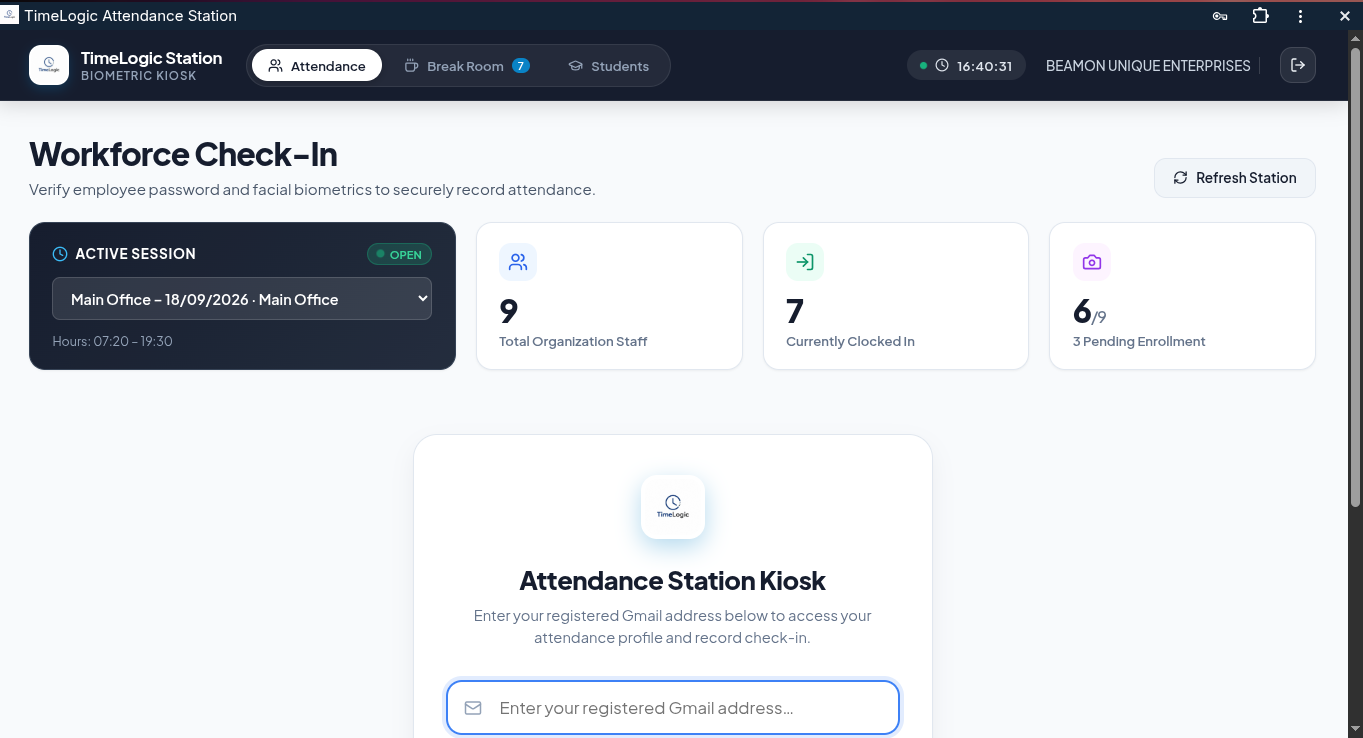
Workforce Check-In Station
The primary staff check-in station. Displays active shift schedules, enrollment counters, and biometric confirmation in under 3 seconds.
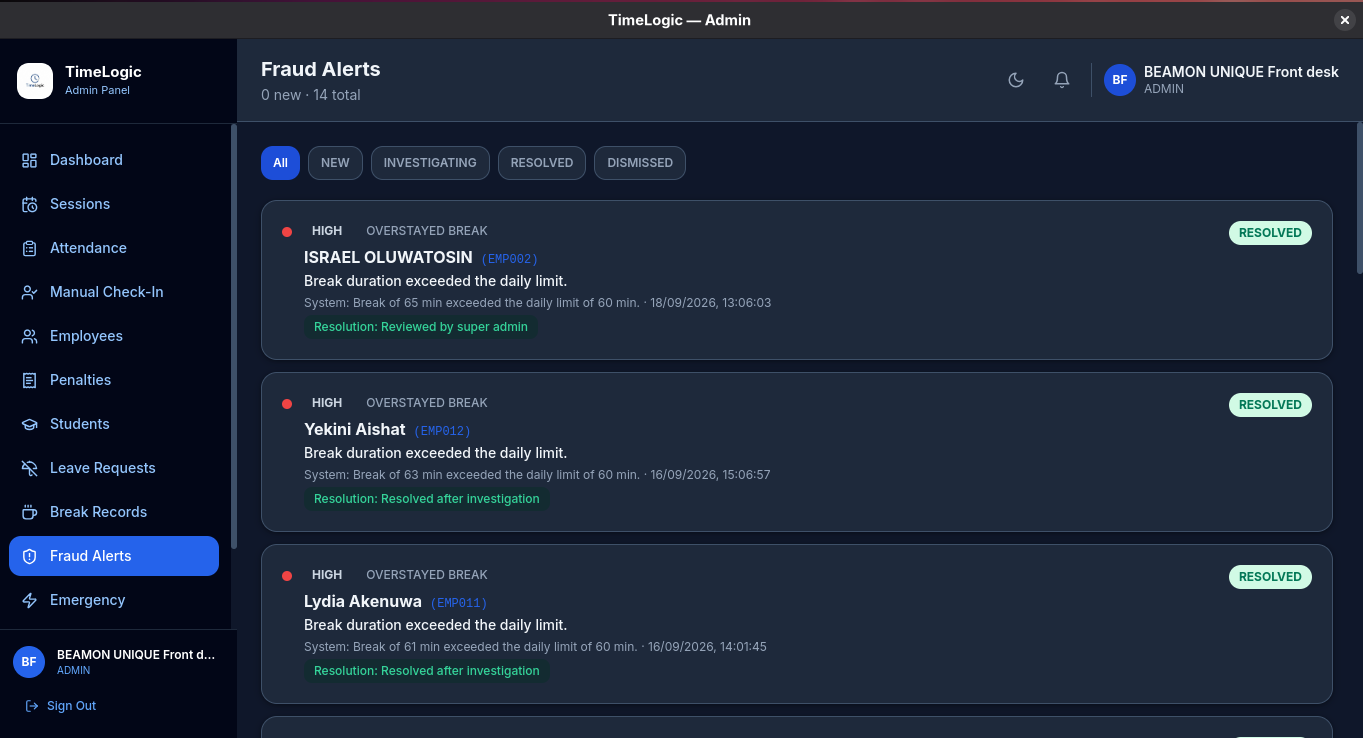
Automated Policy Violation Engine
Real-time detection ledger that flags overstayed break allowances, suspicious punch timestamps, and policy infractions with resolution workflows.
Deployment & Hardware Specifications
Concrete operational details regarding TimeLogic on-premise installation and licensing.
TimeLogic is completely hardware-agnostic. Any desktop computer, laptop, or tablet running Windows, Linux, macOS, or Android with a working front camera and internet connection can be paired as an authorized on-premise kiosk station in under 10 minutes.
Unlike mobile-first attendance apps that depend on phone GPS signals that employees easily spoof with mock-location utilities, TimeLogic anchors attendance strictly to your physical hardware terminal and verified company network.
Yes. Shift start times, closing times, grace periods, late penalty thresholds, and break durations (such as lunch or prayer slots) are fully configurable per department or organization.
Standard deployment takes less than 24 hours. Our technical team assists with account setup, kiosk pairing, and employee roster import directly over WhatsApp or on-site.
Ready to secure your organization's attendance?
Our deployment engineers assist with kiosk hardware pairing, staff enrollment, and admin configuration within 24 hours.